The challenge#
Large Microsoft 365 environments can accumulate user accounts that remain enabled long after they stop being actively used.
Manually identifying these accounts is difficult because inactivity cannot be determined reliably from a single value. Administrators need to consider sign-in activity, account type, exemptions, exceptional cases and whether the user has subsequently become active again.
The objective was to create a controlled lifecycle process that could identify genuinely inactive accounts while avoiding inappropriate or premature removal.
The solution#
I designed an automated lifecycle process using Power Automate and Microsoft Graph.
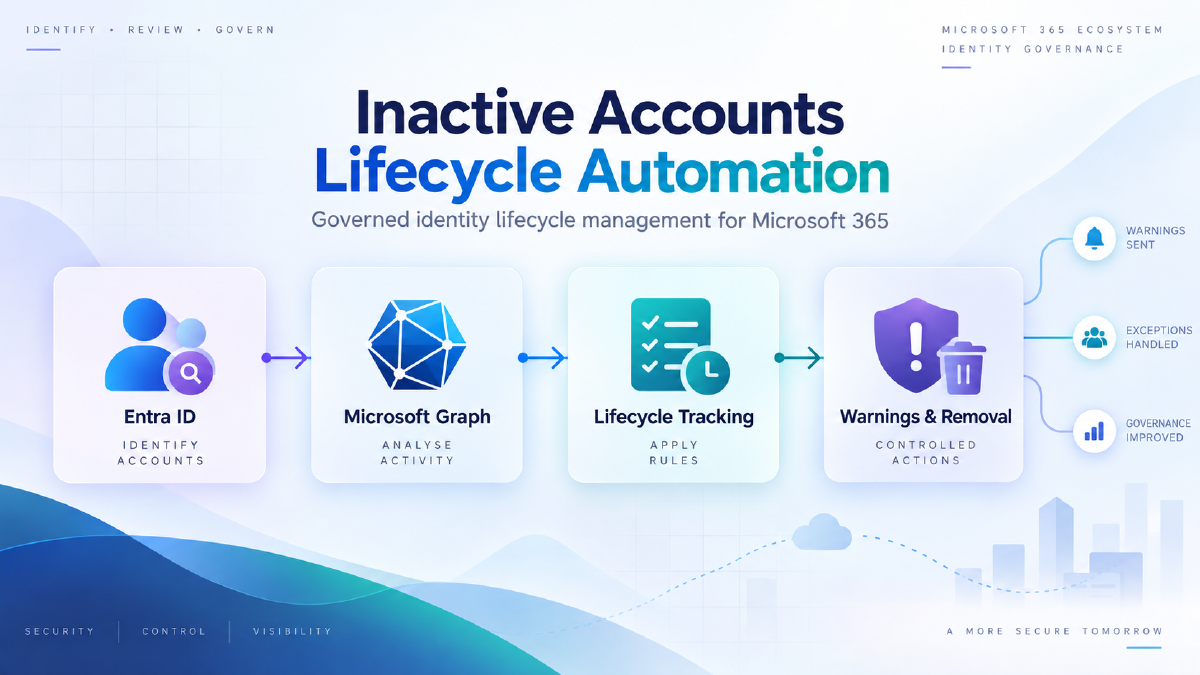
The solution retrieves user and sign-in information, evaluates each account against defined inactivity rules and tracks eligible users through a structured lifecycle.
Rather than immediately disabling or deleting an account, the process progresses users through warning stages before making them eligible for removal.
A separate lifecycle record provides a persistent history of warnings, exceptions, reactivation and eventual deletion.
Architecture#
The high-level process is:
Microsoft Entra ID → Microsoft Graph → Power Automate → Eligibility evaluation → Lifecycle tracking → Warning notifications → Final eligibility check → Account removal
A SharePoint list is used to maintain the state of each lifecycle record independently from the directory itself.
This allows the automation to determine whether an account is:
- newly identified as inactive
- currently within a warning period
- exempt from automated processing
- reactivated
- eligible for deletion
- already processed
Safeguards and governance#
Account deletion is deliberately separated from initial inactivity detection.
The solution includes controls such as:
- exclusion of non-user and service accounts
- configurable exemption groups
- staged warning notifications
- repeated sign-in checks before destructive actions
- exception handling for accounts that require manual review
- persistent lifecycle history
- separate deletion eligibility and deletion stages
- detection of users who become active again
This creates a controlled process rather than treating inactivity as a simple delete condition.
Additional operational context#
The process can also enrich the lifecycle record with information useful to other operational teams.
For example, associated licence information can help quantify the cost of inactive accounts, while device information can identify cases where equipment may need to be recovered if an account is removed.
This turns the solution from a simple account-cleanup process into a wider identity lifecycle and operational-governance workflow.
Outcome#
The solution reduces the administrative effort involved in repeatedly identifying and reviewing inactive accounts while introducing a consistent and auditable lifecycle.
Accounts are evaluated using repeatable rules, users receive appropriate warning periods and administrators retain mechanisms for exemptions and manual intervention.
The design also separates detection, notification and destructive operations, reducing the risk associated with fully automated account removal.
Technologies#
Microsoft Entra ID · Microsoft Graph · Power Automate · SharePoint · Microsoft 365