The challenge#
Operational teams needed to regularly change telephone routing used by Microsoft Teams auto attendants.
Previously, making these changes required intervention from users with administrative access to Microsoft Teams. This created an unnecessary dependency on technical teams for what was fundamentally an operational change.
The goal was to provide authorised staff with a simple self-service interface while keeping privileged Teams administration securely behind the solution.
The solution#
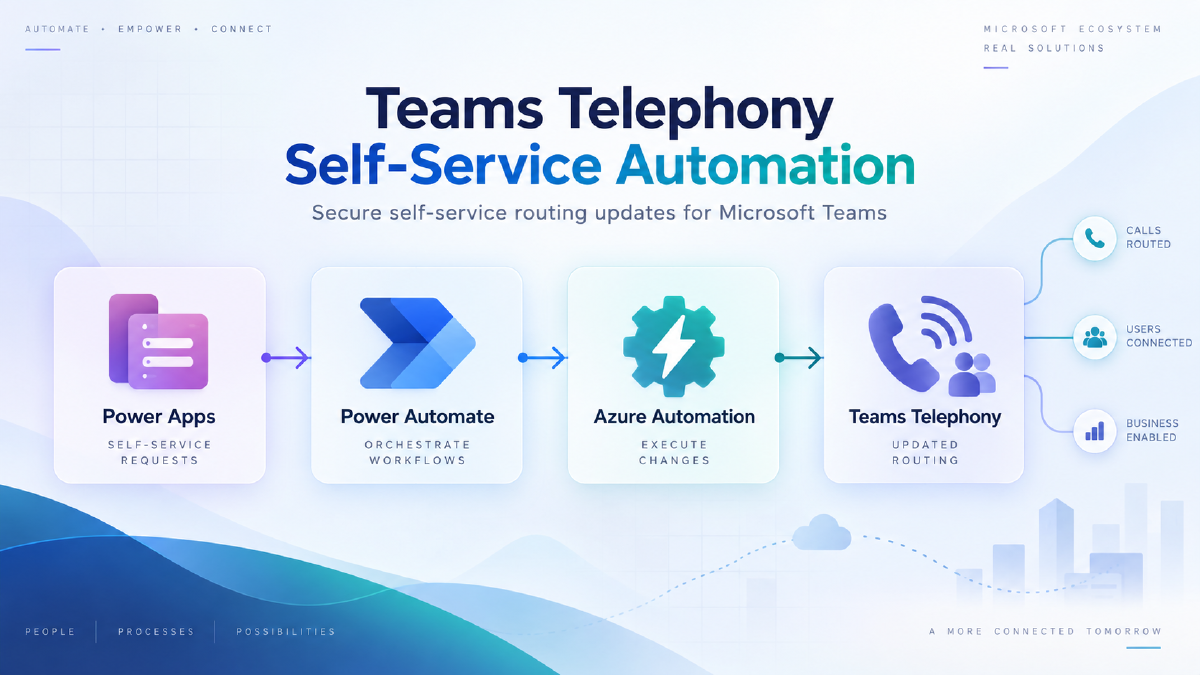
I designed a Power Platform solution that allows authorised users to select or enter a duty contact number through a Power Apps application.
The application submits the requested change through Power Automate, which validates and records the request before securely triggering an Azure Automation runbook.
The runbook performs the privileged Microsoft Teams configuration change and verifies that the requested number has been successfully applied.
Architecture#
The solution uses:
- Power Apps for the user-facing interface
- SharePoint for contact configuration, current state and audit logging
- Power Automate for orchestration and notifications
- Azure Automation for privileged Teams administration
- Microsoft Teams PowerShell for updating and verifying auto-attendant configuration
The high-level flow is:
Power Apps
→ Power Automate
→ Azure Automation
→ Microsoft Teams
→ Verification
→ Power Automate
→ User notification
Validation and safeguards#
The solution includes several controls designed to prevent incorrect changes:
- Telephone number format validation before submission
- Authorised-user access controlled through security groups
- Unique request identifiers for each change
- Central job logging for troubleshooting and audit
- Post-change verification against Microsoft Teams
- Success and failure notifications
- Separation between the user-facing application and privileged administrative operations
Operational design#
Contacts can be maintained centrally so users can select the appropriate duty person without repeatedly entering telephone numbers manually.
Configuration and job-log data also provide support teams with visibility of:
- who requested the change
- the requested telephone number
- when the request was submitted
- whether the change succeeded
- the value returned during verification
This allows most support issues to be investigated without requiring access to the automation infrastructure.
Outcome#
The solution converted an administrator-dependent process into a controlled self-service service.
Authorised operational users can now manage routine telephony changes themselves while privileged Microsoft Teams administration remains isolated behind the automation layer.
The design also provides validation, logging and verification that were difficult to achieve consistently with the previous manual process.
Technologies#
Power Apps · Power Automate · SharePoint · Azure Automation · PowerShell · Microsoft Teams